
The Writing Tool for Serious Writers
Scrivener is the all-in-one writing software designed to help you plan, write, research, and organize your projects from start to finish.
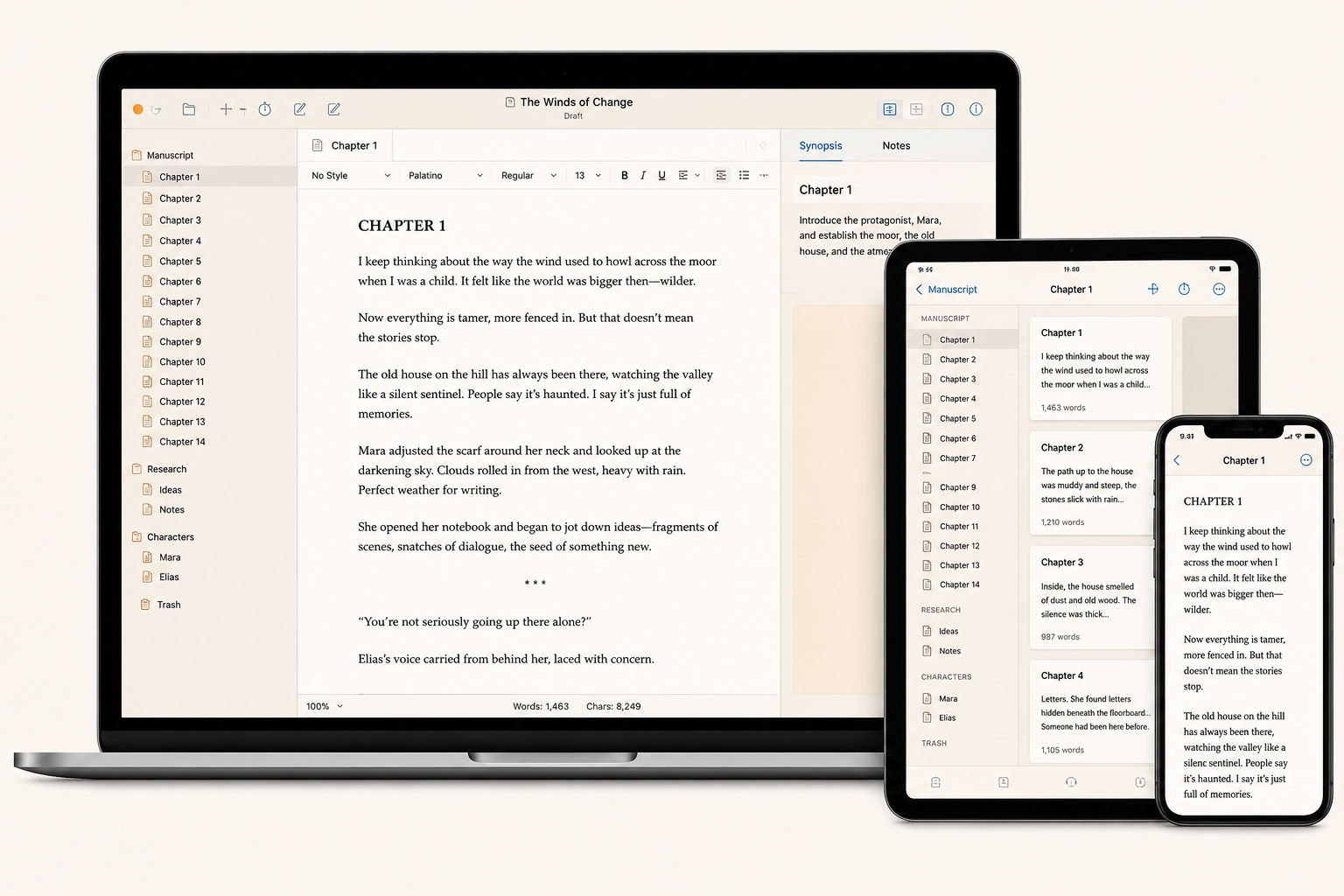
For writing. And writing. And writing.
Whether you're writing a novel, a screenplay, an essay, or a research paper, Scrivener gives you the structure, flexibility, and tools you need to bring your ideas to life.
Organize with Ease
Keep everything in order with Scrivener's Binder. Rearrange, restructure, and visualize your entire project.
Research Efficiently
Collect and organize research from the web, PDFs, images, and notes. Everything is right where you need it.
Write Your Way
Distraction-free writing, custom templates, and powerful tools to keep your creativity flowing.
Edit with Confidence
Powerful editing tools help you refine your manuscript and polish every word.
Export Anywhere
Export to eBook, print, screenplay, manuscript, and many more formats.
Everything you need,
all in one place.
Scrivener combines all the tools you need to craft your first draft, from nascent notion to final full stop.
- Outliner, Editor, and Notes in one workspace
- Keep your ideas, references, and drafts connected
- Write long projects with ease
- Available for macOS, Windows, iOS, and iPadOS
Loved by writers worldwide
"Scrivener is my writing home. I couldn't imagine writing without it."
"The perfect tool for serious writers. It keeps me organized and productive."
"Scrivener helps me turn chaos into books."
Frequently Asked Questions
What is Scrivener used for?
Scrivener is built for long-form writing — novels, non-fiction, screenplays, dissertations, and research-heavy projects. It combines an outliner, editor, and research library in one workspace.
Can I use Scrivener for non-fiction?
Absolutely. Researchers, journalists, and academics use Scrivener to organize sources, draft chapters, and assemble large manuscripts.
Is there a free trial available?
Yes. Download a 30-day free trial (counted only on the days you use it). No account required to get started.
Is there a mobile version?
Scrivener for iOS and iPadOS is a separate purchase and syncs your projects via Dropbox.
Does Scrivener work on Windows?
Yes — Scrivener 3 for Windows is feature-complete and shares the same project format as the macOS version.
What file formats can I export?
DOCX, RTF, PDF, ePub, Kindle, Markdown, Final Draft, plain text, and more via the Compile system.